Yash Pathak

From Fragmented Tools to a Unified Influencer Discovery & Planning Platform

How structured UX and system thinking simplified high-volume influencer decision-making

Designed for data-heavy SaaS workflows

Unified Discovery β†’ Planning β†’ Reporting

Improved decision speed & workflow continuity

✦ The Challenge

ViralPitch Discovery started as a functional but fragmented system for influencer discovery.


While the platform had access to rich creator data, the experience struggled to translate that into clear decisions for brands.

CORE CHALLENGES

  • Data without hierarchy - Users saw metrics, but didn’t know what mattered

  • Heavy tables, low usability - Large datasets were hard to scan and compare

  • Disconnected modules - Discovery, Lists, and Reports worked in isolation

  • No workflow continuity - Users had to manually track progress across tools

  • Planning outside the product - Campaign decisions often moved to Excel

πŸ‘‰ The product had power β€” but lacked structure, flow, and clarity

✦ My Role

As the Product Designer, I worked on the end-to-end desktop SaaS experience.

Product Design & UX Strategy

Structuring complex workflows into usable systems

Information Architecture

Defining how data is grouped, prioritized, and surfaced

Dashboard & Table Design

Designing for high-density, scalable datasets

System Consistency

Aligning multiple modules into one unified experience

✦ The Transformation

  1. From Features β†’ System Thinking

Instead of improving isolated screens, I restructured the product into a connected workflow system:

Discovery β†’ Find influencers

Evaluation β†’ Compare & analyze

Planning β†’ Organize into lists

Reporting β†’ Measure performance

πŸ‘‰ This shift ensured continuity across the entire user journey

  1. Reimagining Discovery (Search Module)

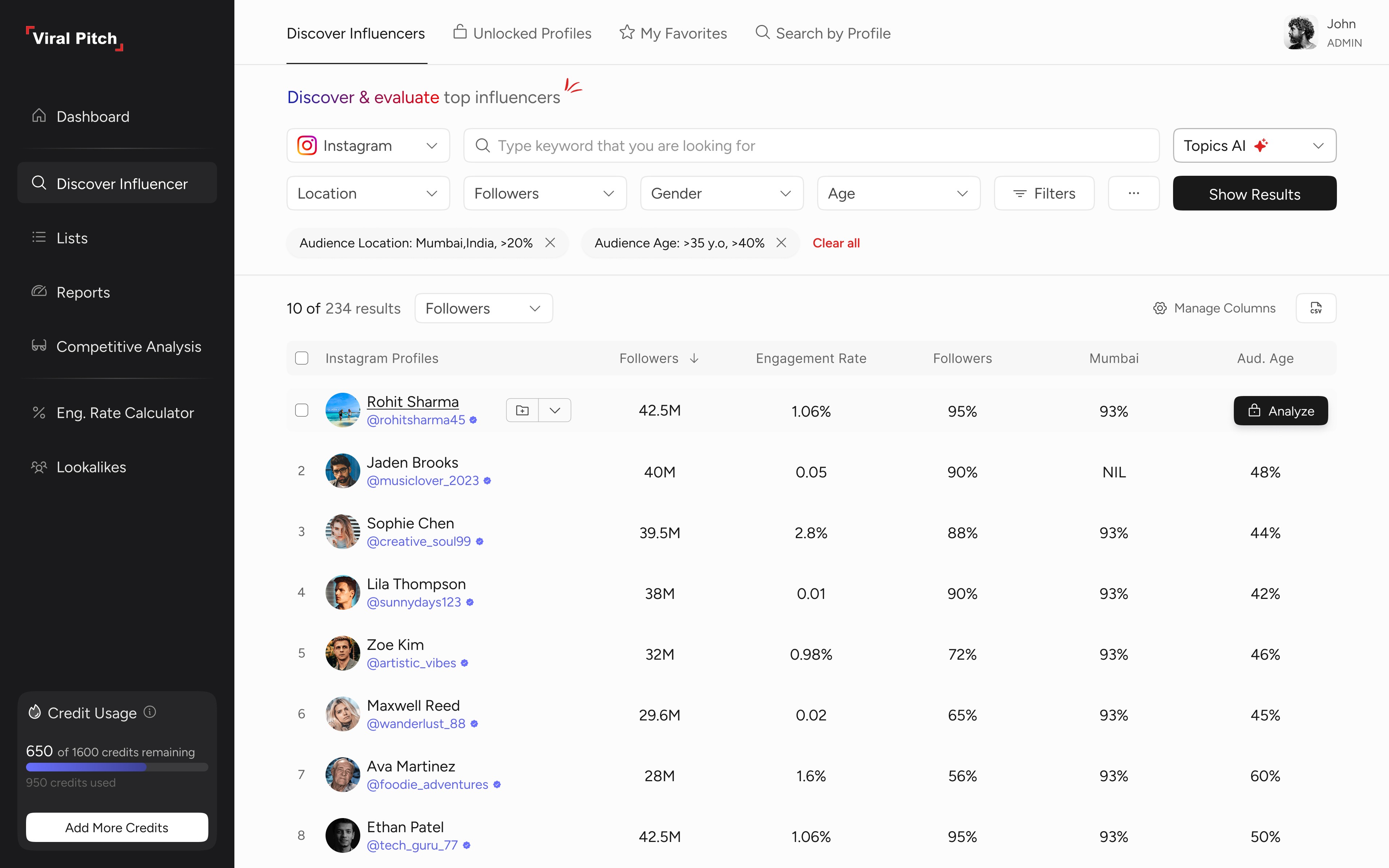
The discovery experience was redesigned as a data-first decision layer.

WHAT CHANGED

  • Introduced high-density, easy-to-scan tables for faster decision-making

  • Standardized key metrics like followers, engagement rate, and audience quality

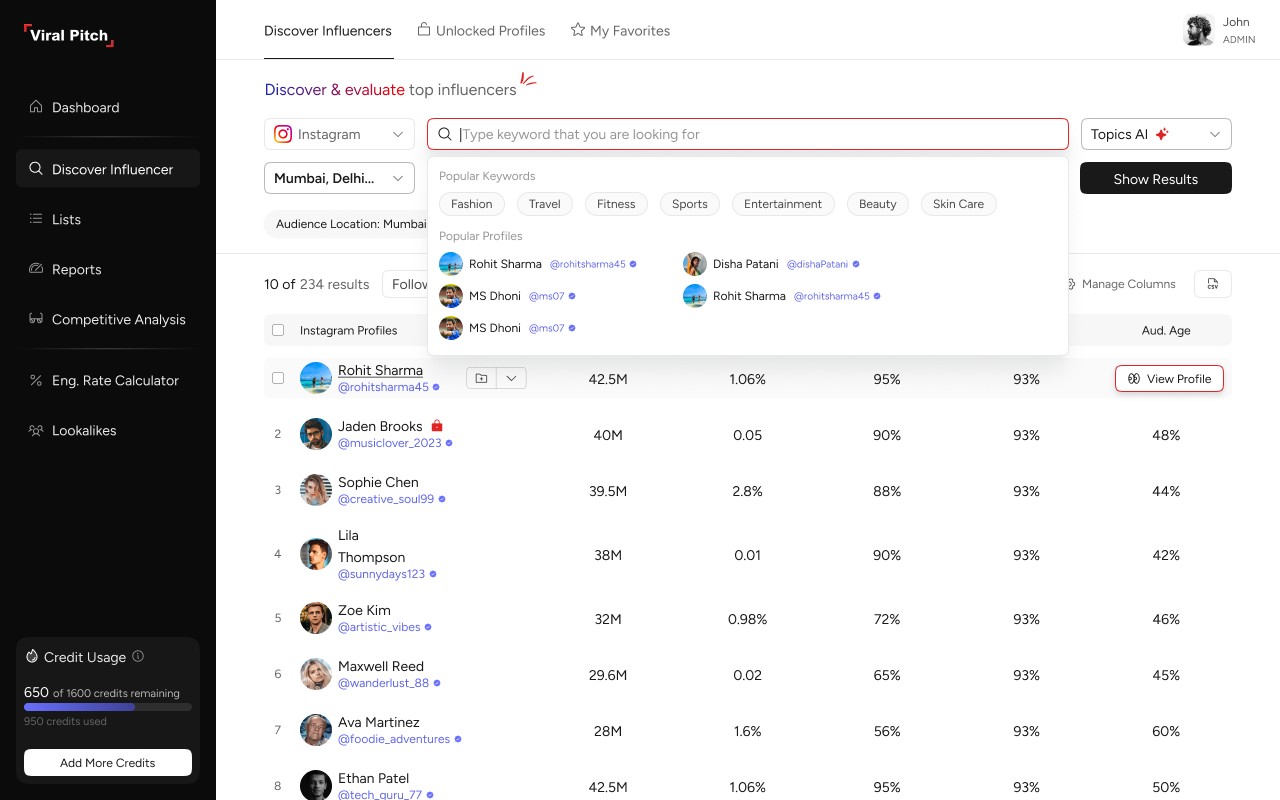
  • Designed a progressive filtering system to simplify exploration

  • Enabled sorting and customizable column visibility

  • Created a dedicated section for unlocked profiles for quick access

  • Introduced β€œMy Favorites” to help users validate choices before spending credits

Key Insight: Users don’t β€œbrowse influencers” - They analyze datasets

  1. Designing for Comparison at Scale

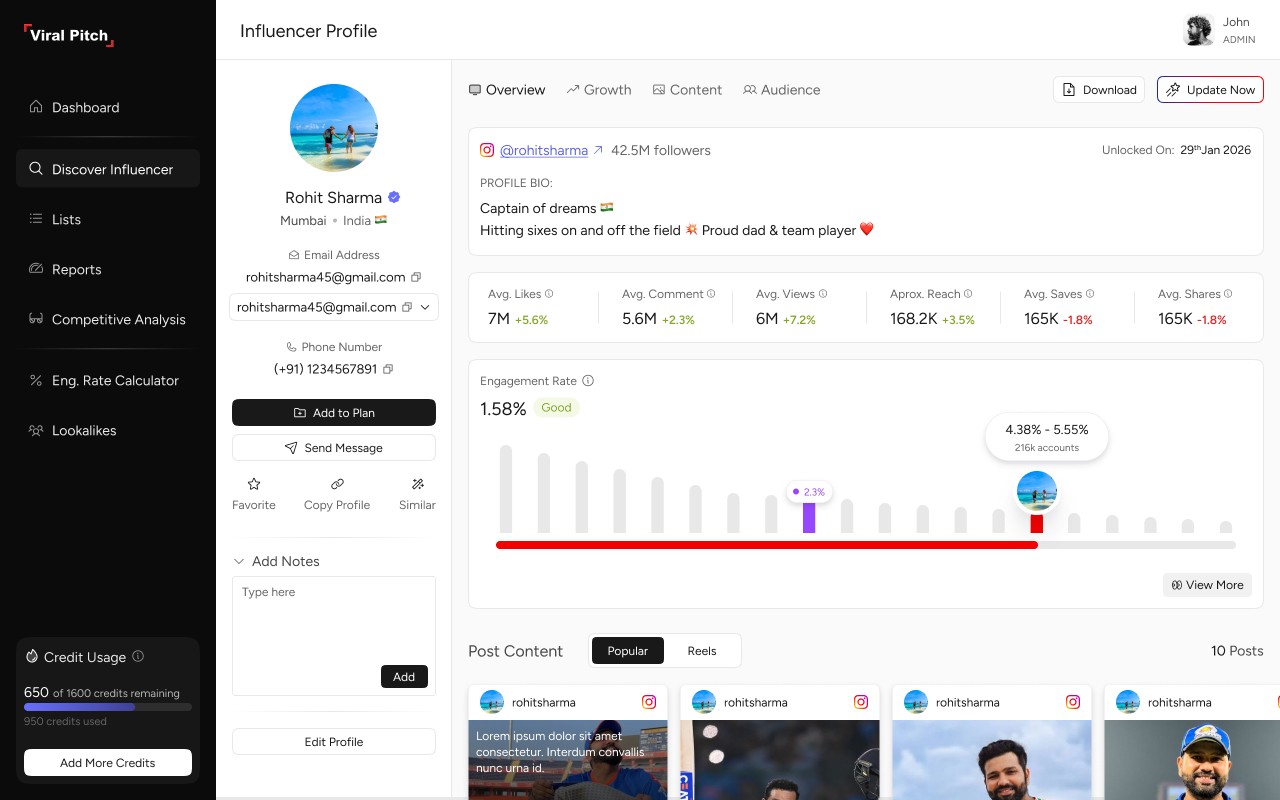
Users were opening multiple profiles to compare creators.

SOLUTION

  • Structured side-by-side comparable data

  • Standardized metric formats

  • Reduced need for deep navigation

πŸ‘‰ Enabled faster and more confident decisions

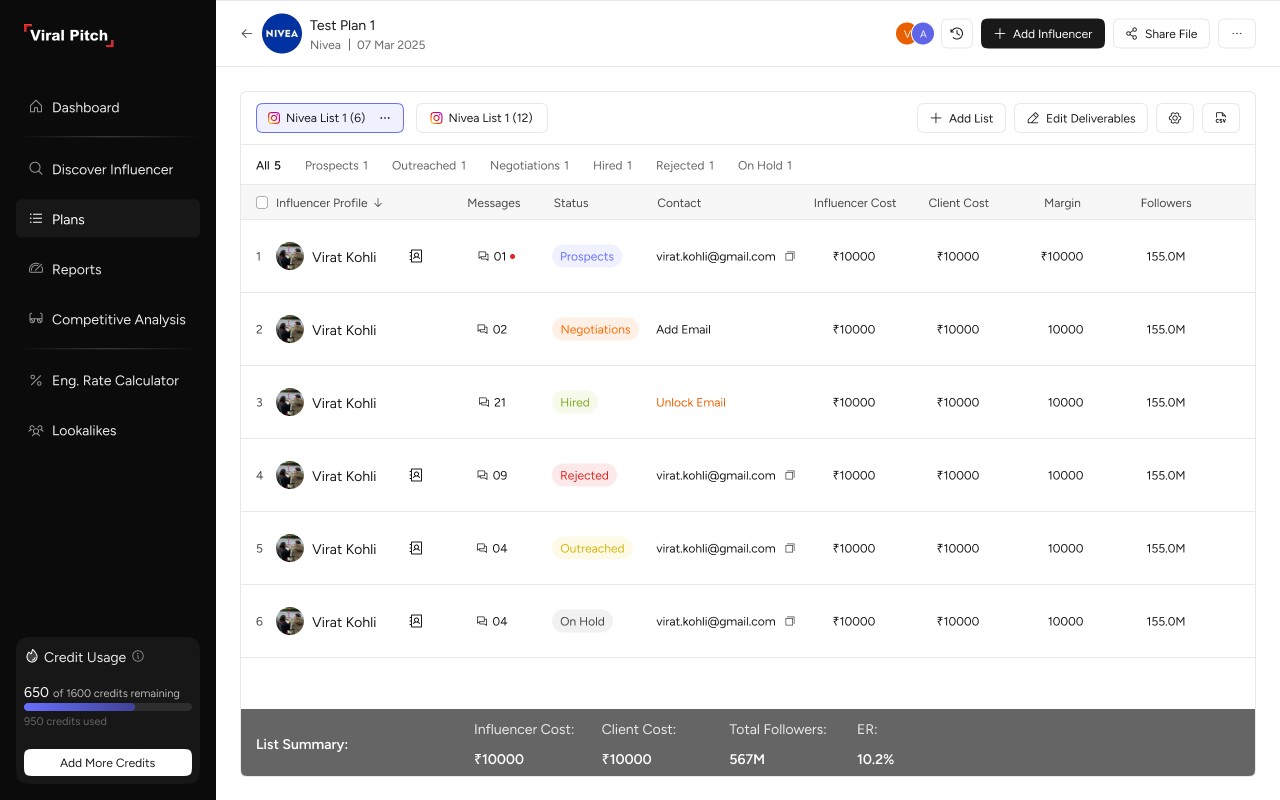
  1. Lists β†’ From Storage to Planning Engine

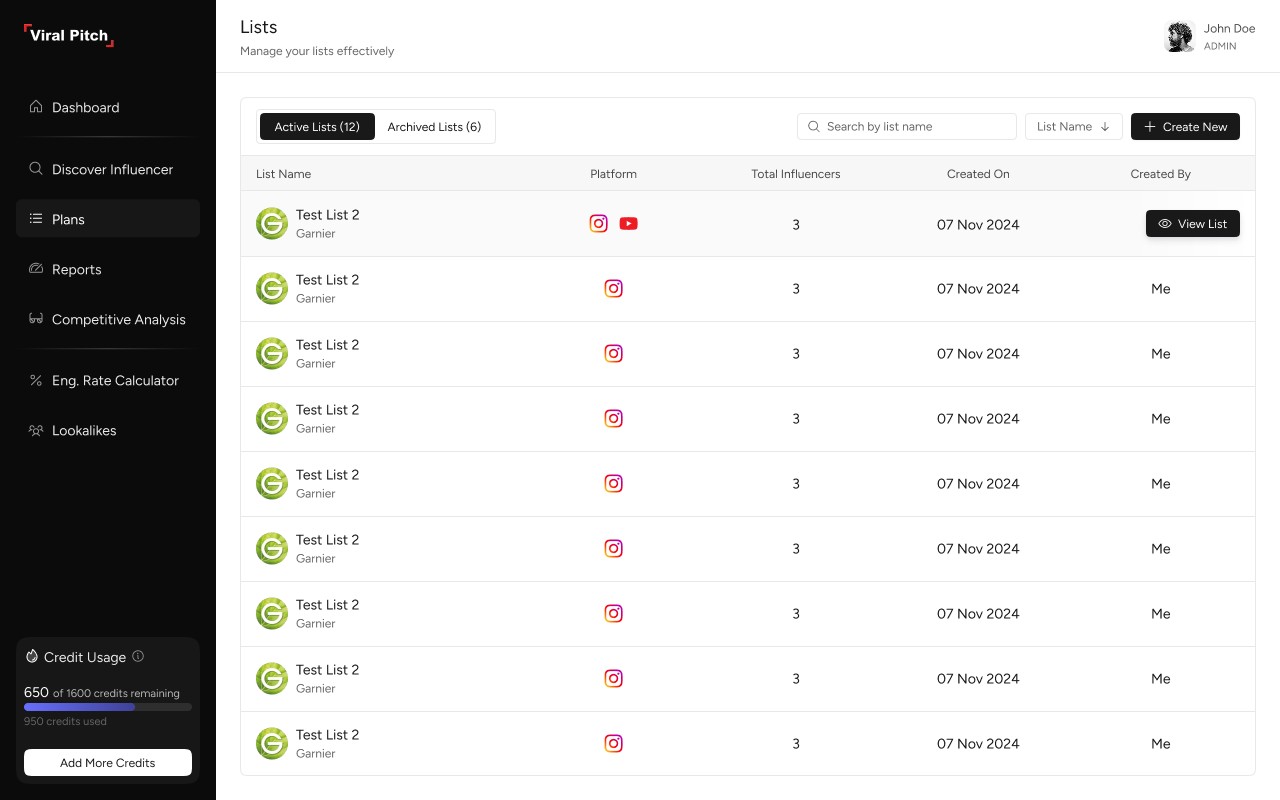
Previously, lists were passive. I redesigned them as active campaign workspaces.

INTRODUCED

  • Status-based Workflow:

    • Prospects

    • Outreach

    • Negotiation

    • Hired

    • Rejected

  • Inline Editing:

    • Cost

    • Deliverables

    • Status

πŸ‘‰ Lists became a live campaign pipeline

  1. Reports β†’ From Data to Insights

The reporting module was redesigned to focus on clarity over volume.

IMPROVEMENTS:

  • Modular dashboard cards

  • Platform-wise breakdowns

  • Historical vs actual comparisons

  • Content + performance integration

I shifted from data display β†’ decision support.

✦ Core UX Principles

1.

Progressive Disclosure

Show less β†’ reveal more when needed

2.

Consistent Data Patterns

Same metrics, same structure across modules

3.

Minimized Context Switching

Inline actions over navigation

4.

Visual Hierarchy over decoration

Clarity > aesthetics

✦ Key Product Improvements

Unified Discovery β†’ Planning β†’ Reporting flow

Reduced cognitive load in large datasets

Enabled faster filtering and scanning

Eliminated need for external tracking tools

Introduced structured campaign workflows

✦ The Impact

  • Reduced time to identify relevant influencers

  • Increased shortlist and list creation rate

  • Increased decision confidence for brands

  • Reduced dependency on Excel/manual workflows

Create a free website with Framer, the website builder loved by startups, designers and agencies.